
FOURKITES: ONE SYSTEM, TWO MOBILE PROBLEMS
A driver app stripped to near-nothing, and a yard-manager view packed with live data, because mobile craft is knowing which one the moment calls for.
10M+
Tracking Events / Day
2
Opposite UX Disciplines
iOS · Android
Platforms Shipped
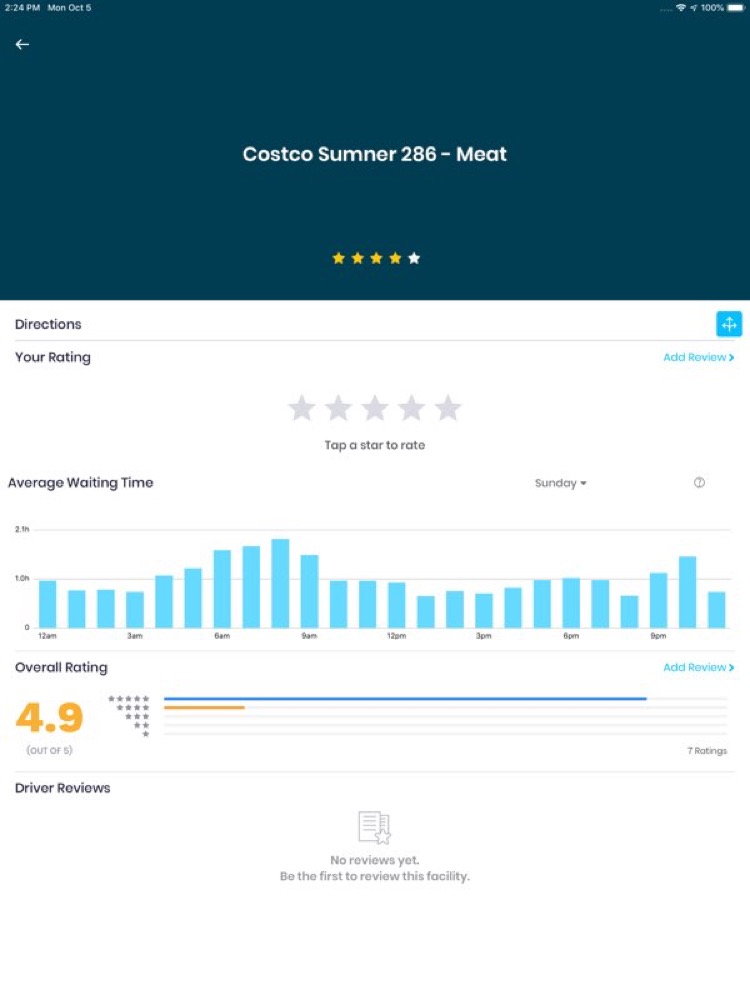
The Driver app, subtract
Built so driving needs none of it.
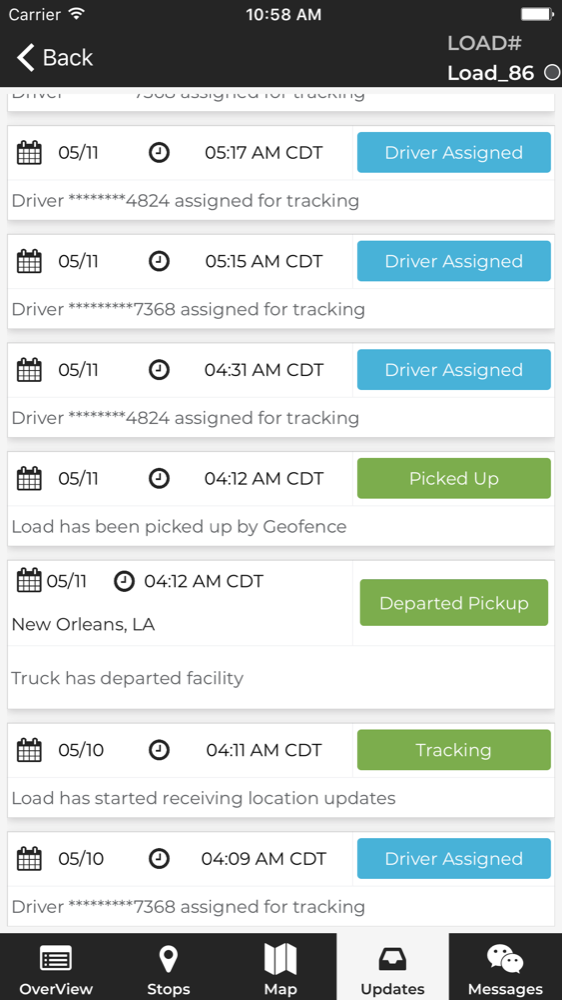
A driver's attention belongs on the road, legally and obviously. So the app assumes zero interaction in motion: automatic trip detection does the work, anything requiring a decision waits for a stop, and what remains on screen is passive status. Every design decision was subtraction: one-handed reach at a standstill, the fewest possible taps, forgiving on a dropped signal.
One screen.
One action.
No mistakes.
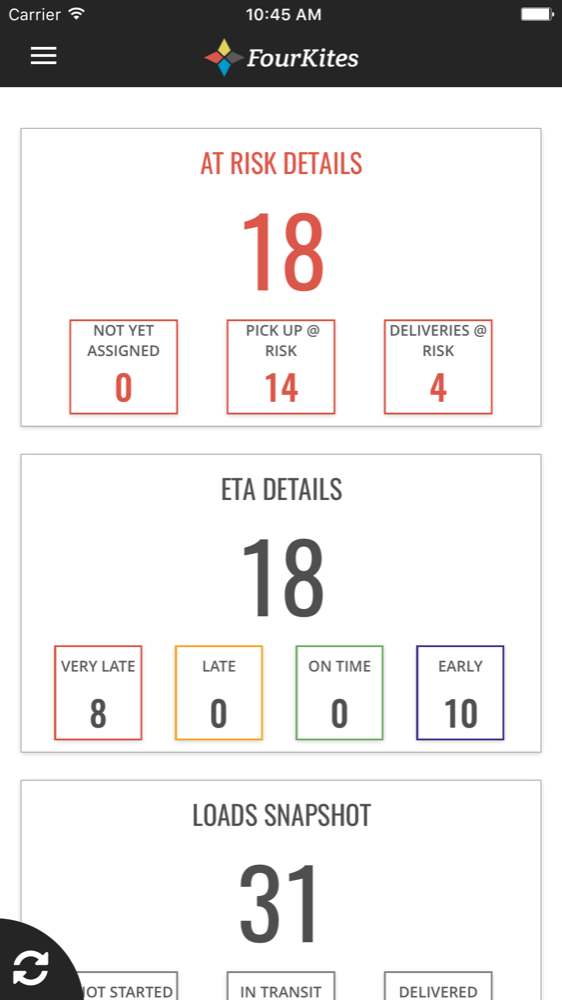
The Yard Manager, compress
Built to run a whole facility from a phone.
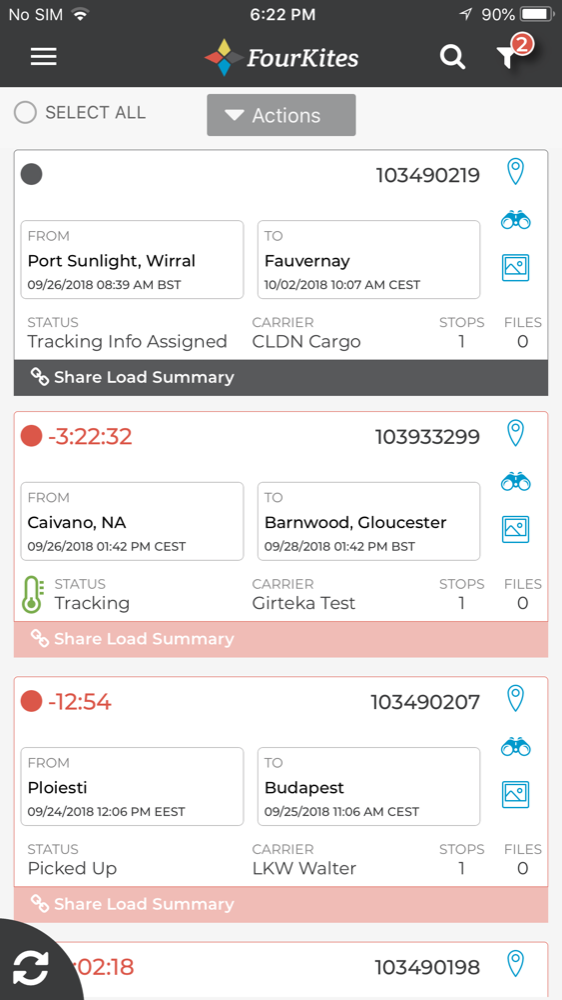
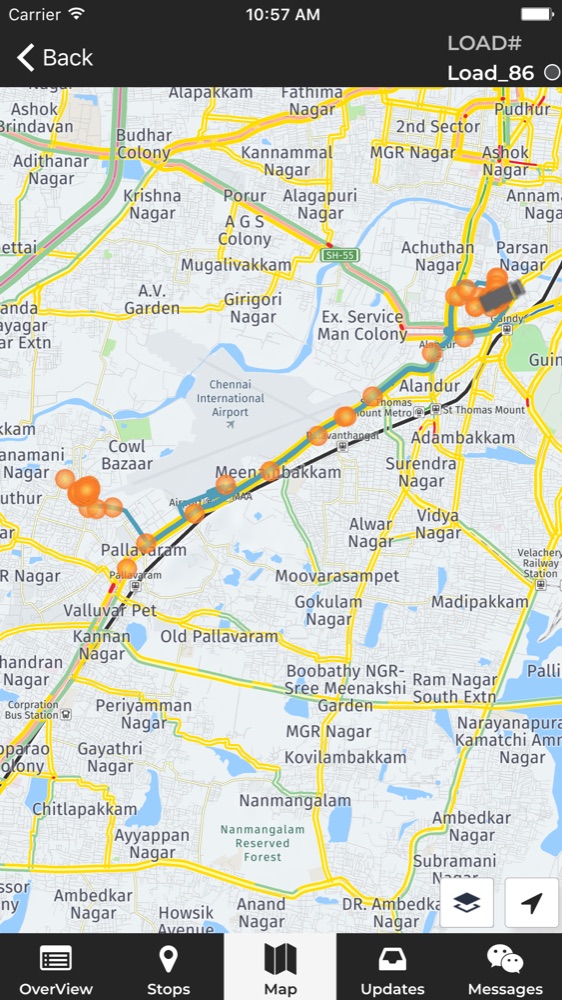
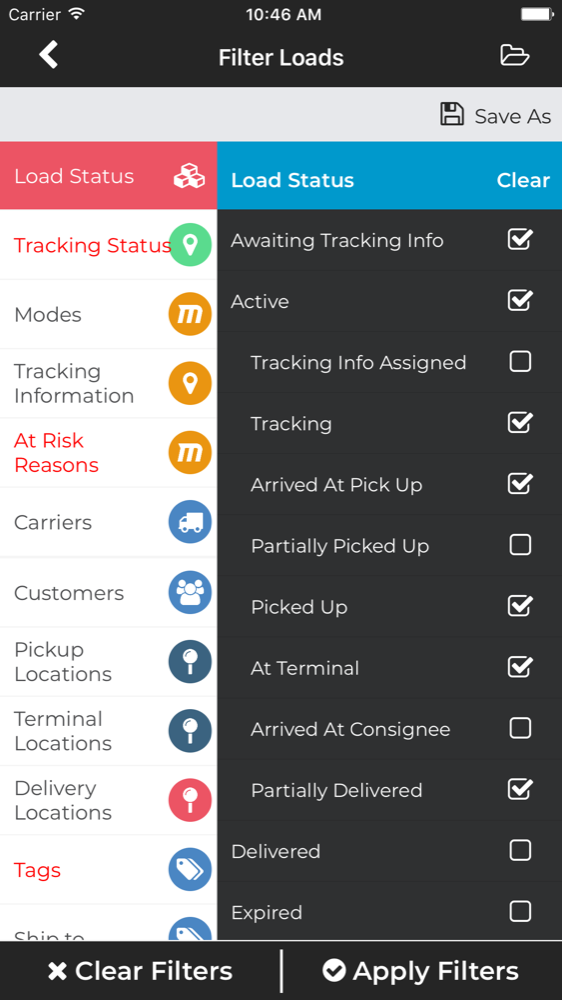
A yard manager tracks dozens of moving assets in real time. The opposite challenge: maximum information density on a small screen, without it ever tipping into noise.
01 · The Problem
Real-time logistics doesn't stop when the user leaves their desk. FourKites tracks freight in real time, 10M+ GPS and telematics events a day across thousands of shipments. The web control tower handled the office. But the people who actually move freight aren't at a desk: they're drivers on the road and yard managers walking a facility.
Mobile wasn't a smaller version of the web product. It was two distinct products with two distinct users, two distinct contexts, and, critically, two opposite design requirements. Getting one right would have been a normal mobile project. Getting both right, coherently, on the same platform, is the work.
02 · The Driver App, Designing by Subtraction
The hardest thing to design is the screen with almost nothing on it. The design constraint isn't aesthetic, it's safety and compliance: hand-held use in a moving cab is off the table, so anything that requires reading, precision, or thought while driving is a design failure. The craft was removing, until the moving-truck state needed no interaction at all, and everything else could be handled at a stop, with one thumb, on a screen catching glare through a windshield.
One primary action per screen
Whatever the driver needed to do next was the only thing competing for attention. No secondary actions within reach of a distracted tap.
Thumb-reach and oversized targets
Every interactive element lived in the lower-screen one-handed zone, sized well beyond minimums so a gloved thumb couldn't miss.
Glanceable state, not text
Status read as color and shape before words, recognizable in the half-second a driver can spare.
Forgiving on a dropped signal
Actions queued and confirmed when connectivity returned; the driver never waited on a spinner or lost an update in a dead zone.
03 · The Yard Manager, Designing by Compression
The opposite discipline: maximum density that never tips into noise. A yard manager isn't driving. They're orchestrating. Dozens of trailers, docks, and gates, all moving, all live. Here the failure mode flips: too little information means they walk the lot to find out what the screen should have told them. The craft was fitting a control-room's worth of live data onto a phone and keeping it scannable.
Information hierarchy did the heavy lifting
Typographic weight, spacing, and a disciplined color system let a single row carry ID, location, status, and dwell time without feeling crowded.
Exceptions surfaced themselves
The manager scanned for problems, so delays and anomalies were weighted to pull the eye first, the normal stuff stayed quiet.
Progressive disclosure over fewer screens
Density up front, detail one tap deep, so power users moved fast without the list ever hiding what mattered.
Real-time without the jitter
Live updates settled in calmly instead of reshuffling under the user's thumb, the list stayed trustworthy to read while it changed.
04 · What It Proves
Mobile craft is judgment, not a default. The same designer, the same real-time system, the same week, and two interfaces that share almost no visual DNA, because their users didn't share a context. The driver app and the yard manager aren't a style; they're two correct answers to two different questions.
That's the throughline of how I work on mobile: start from the user's hands and their moment, then decide whether the job is subtraction or compression. Most products need both, somewhere.
Subtraction
Driver · safety-first · one-handed
Compression
Yard manager · density · exception-led
One spine
Single real-time data platform
Gallery
LET'S TALK
Working on something like this, or hiring for it?